MIGRATE TO ODOO
Move from disconnected tools
to a scalable ERP.
A full system transition into Odoo — data, workflows, integrations, and reporting. Not just a data transfer.
Get started See what's included ↓
Part of ERP Evolution services
Trusted by growing businesses from 5 to 500 employees.





A migration that only moves data locks in the same problems.
The goal isn't to reproduce your old system in Odoo. It's to centralize operations, improve visibility, and build a foundation that actually works.

Moving from another ERP
QuickBooks, SAP, NetSuite, Holded, Sage — your data, workflows, and reporting need to land in Odoo clean and structured.
Replacing spreadsheets and manual tools
Excel-based operations moving into structured ERP workflows for customers, products, stock, finance, and reporting.
Consolidating multiple disconnected sources
Accounting, inventory, CRM, ecommerce, and operations scattered across tools — unified into one Odoo environment.
Migration paths we support
Each path responds to a different starting point — all designed to move your business into Odoo in a structured way.
QuickBooks
Move from accounting-first workflows into a full ERP for finance, sales, stock, and operations.
SAP
Simplify complexity and move to a more flexible open ERP model with stronger business ownership.
NetSuite
Reduce cost and gain more control over architecture, workflows, reporting, and integrations.
Excel
Replace spreadsheets and manual control with integrated live workflows and reliable reporting.
Holded
Move from lightweight business management into a scalable ERP foundation for growth.
What's included in Migrate to Odoo
Every layer of the transition — from source analysis to validated go-live.
Source system analysis
Understand before moving anything.
Your current system, data structure, reporting needs, integrations, and operational flows reviewed before the project starts.
Process mapping and redesign
Build it right, not just replicate it.
Workflows mapped and redesigned for Odoo so the new system supports how the business should operate — not how it did before.
Data migration and cleansing
Clean data in, not legacy problems.
Customers, products, suppliers, historical transactions, and accounting balances extracted, cleaned, and loaded into Odoo.
Odoo configuration
Configured for your operations.
Modules, workflows, permissions, and reporting set up to match the business model defined in the analysis phase.
Integrations and connections
Your ecosystem, connected.
External tools, ecommerce, payment providers, BI, and other systems connected to Odoo through a clean architecture.
Staging validation and go-live
Verified before the switch.
Full parallel period in staging, team sign-off on data and workflows, then a controlled go-live with support.
How the migration works
1
Analysis
Source system reviewed, data mapped, processes documented, risks identified.
2
Preparation
Data cleaned, workflows redesigned for Odoo, and configuration built in staging.
3
Validation
Parallel period in staging. Team validates data, workflows, and reporting before switching.
4
Go-live
Controlled cutover, old system switched off, operations running on Odoo from day one.
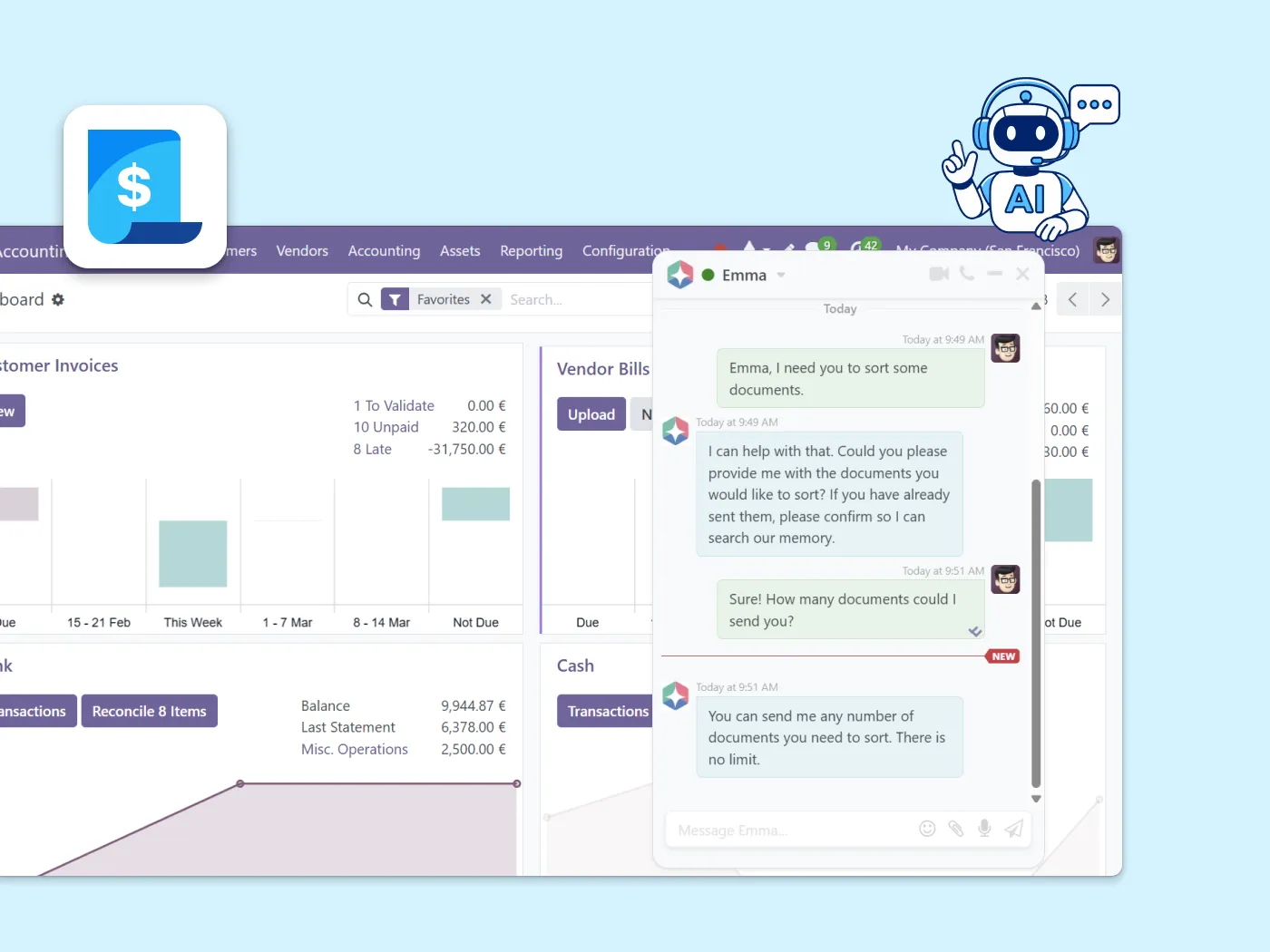
From day one on Odoo, Emma is already there.
Once your migration is live, Emma — Binhex's built-in AI assistant — is ready in your workspace. Your team can ask questions, get guided through any module, and automate repetitive tasks from the moment they log in.
Questions about migrating to Odoo
We handle migrations from QuickBooks, SAP, NetSuite, Holded, Excel, Sage, Navision, and other legacy tools. If your source is not listed, contact us and we will assess the system and scope.
No. Data is extracted, mapped, cleaned, and validated in staging before anything goes live. Records, accounting logic, and operational workflows are verified before cutover.
Simple transitions from Excel or QuickBooks typically take 2 to 4 weeks. Complex SAP, NetSuite, or multi-source transitions can run 6 to 12 weeks depending on data quality, workflows, and integrations.
No. Migrating to Odoo means moving from an external system into Odoo. A version upgrade moves an existing Odoo database from one version to a newer one. If you are already on Odoo, see Version Upgrades.
Yes. We recommend a parallel validation period. Your team checks Odoo against the source system before cutover — reducing risk and building confidence before switching fully.
560+ Odoo projects delivered — including full system transitions from 15+ source platforms
Binhex has migrated businesses from QuickBooks, SAP, NetSuite, Holded, Excel, and custom-built systems into Odoo across the US and Spain.
"We moved from SAP to Odoo in 8 weeks. Three years of history, all our customers, all our products. Nothing was lost. We ran both systems in parallel for two weeks and the switch was seamless."
Ready to plan your move to Odoo?
Start your Odoo workspace today. Emma guides you from day one — and when you're ready, we'll scope your migration and give you a clear plan.
Related ERP services
Migrating to Odoo is one step in a longer evolution journey.
Process Audit
Understand what processes and data you have before committing to a migration scope.
Support and Maintenance
Keep Odoo running after go-live. Ongoing support, module maintenance, and long-term ERP stability.
Version Upgrades
Already on Odoo and need to move to a newer version? That's a different service — upgrade safely with OpenUpgrade.